iMacroPad
Switch apps on the Mac and the pad switches with you.
Keys, knobs, faders, a trackpad, a trackball and a Pencil area, with haptics and drag-and-drop editing. The pad follows the app in front, shows its real state (OBS recording, Teams’ mic, the Mac’s volume) and runs your macros, voice commands and AI-agent approvals over your own network.

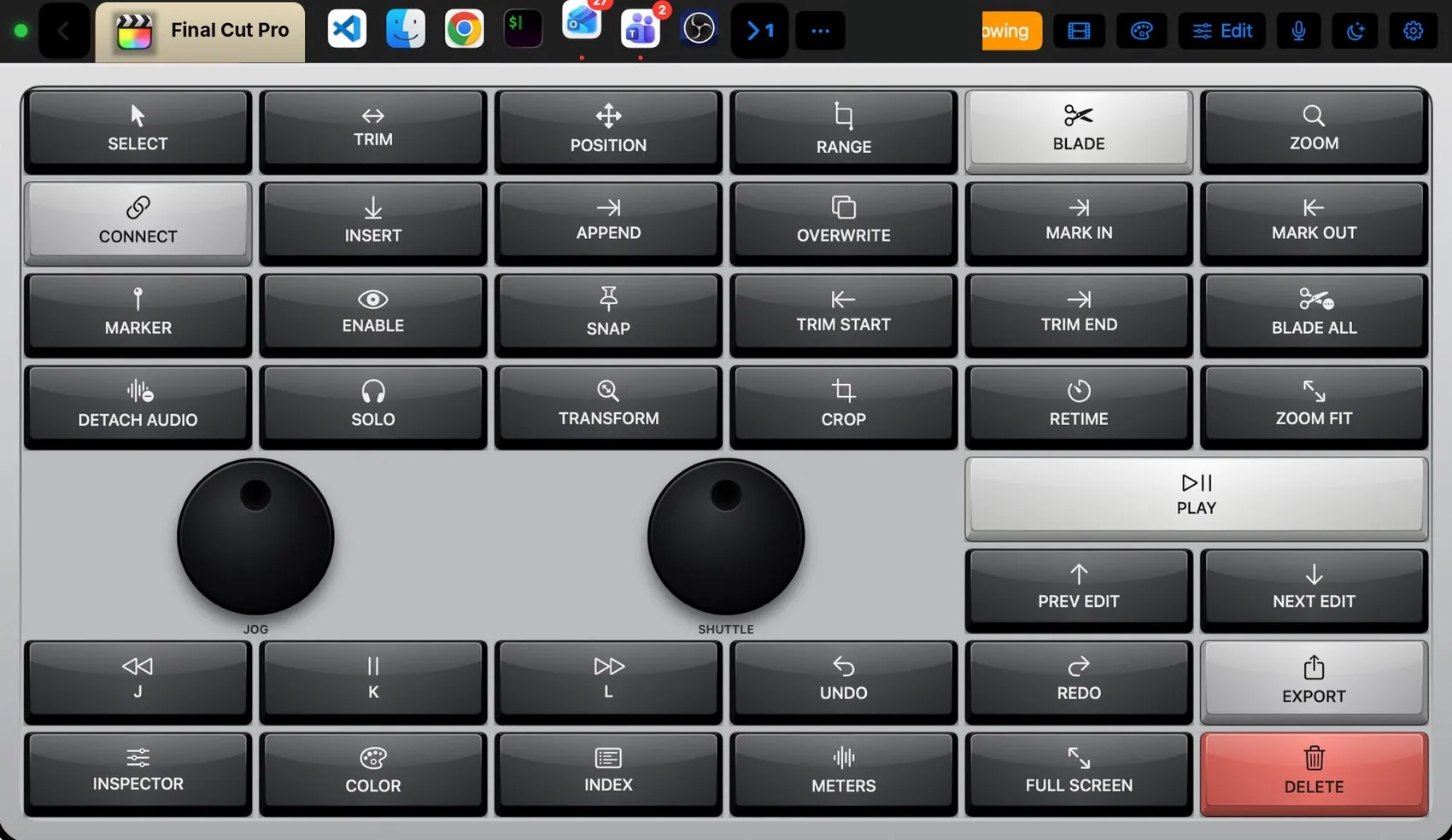
 Final Cut Pro
Built for the apps you live in.
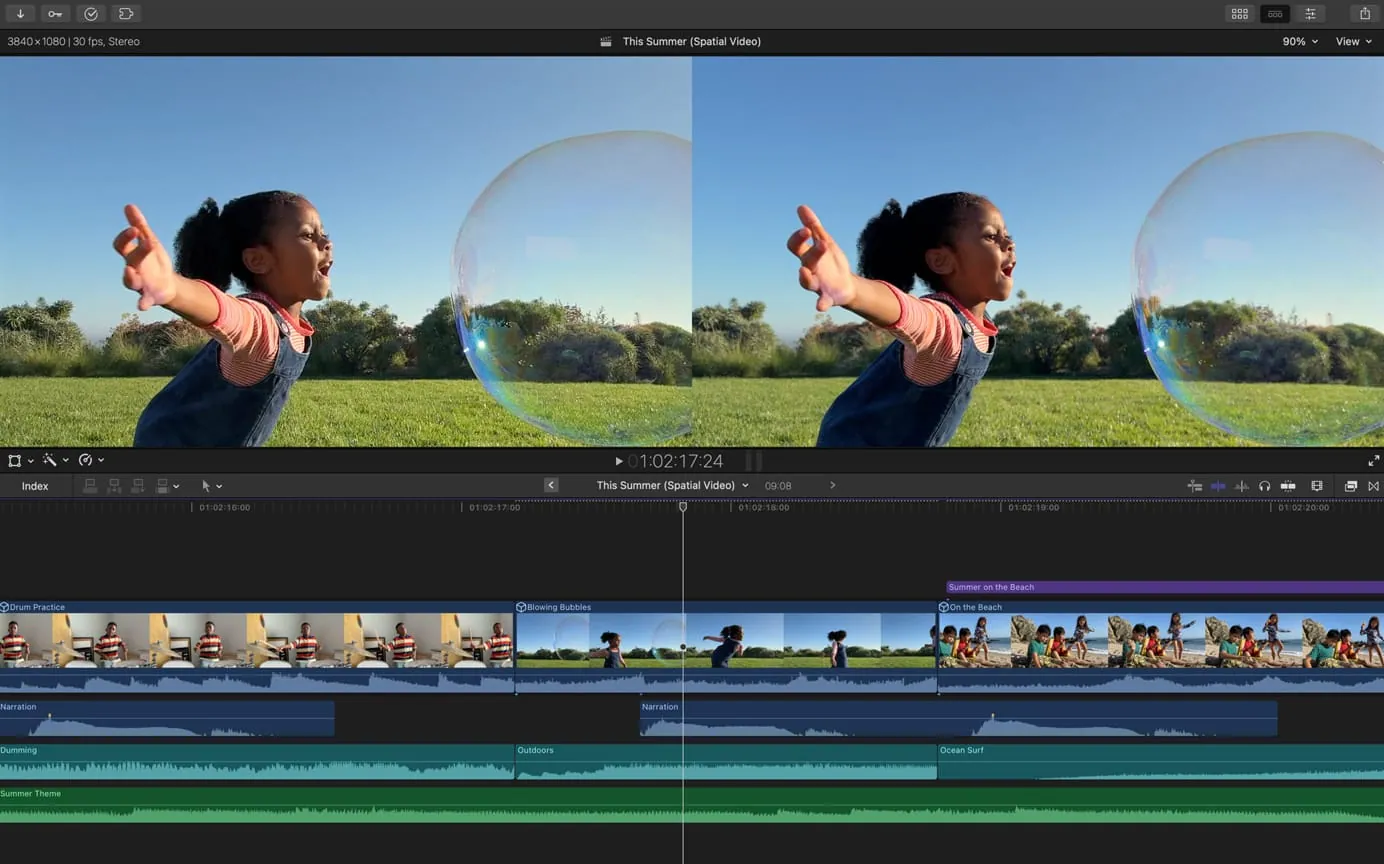
Every app gets its own layout, its own theme and its own keys, checked against the app’s menus. Where the app talks back, the pad shows its real state: OBS recording, Photoshop’s colour, Teams’ mic, the Mac’s volume. Bring an app to the front on the Mac and the pad changes with it.
Everything a hardware deck does.
And what it never could.
No box to buy, no cables, no fixed grid. The iPad or iPhone you own becomes a deck that knows which app is in front, talks to it, and changes the moment you switch.

Not a fixed grid.
A canvas.
A hardware deck is one grid, one key size, one device. On iMacroPad every control is software: put a knob, a trackball, a scroll wheel or a key anywhere, make it 1 × 1 or 4 × 4, take it away again. This is the real editor’s grid, with controls cut from the app. Try it.
 Edit mode
Selected
Add a control
On the iPad: tap Edit, drag to move, pinch to resize, tap a key for its inspector, Add for every kind of control.
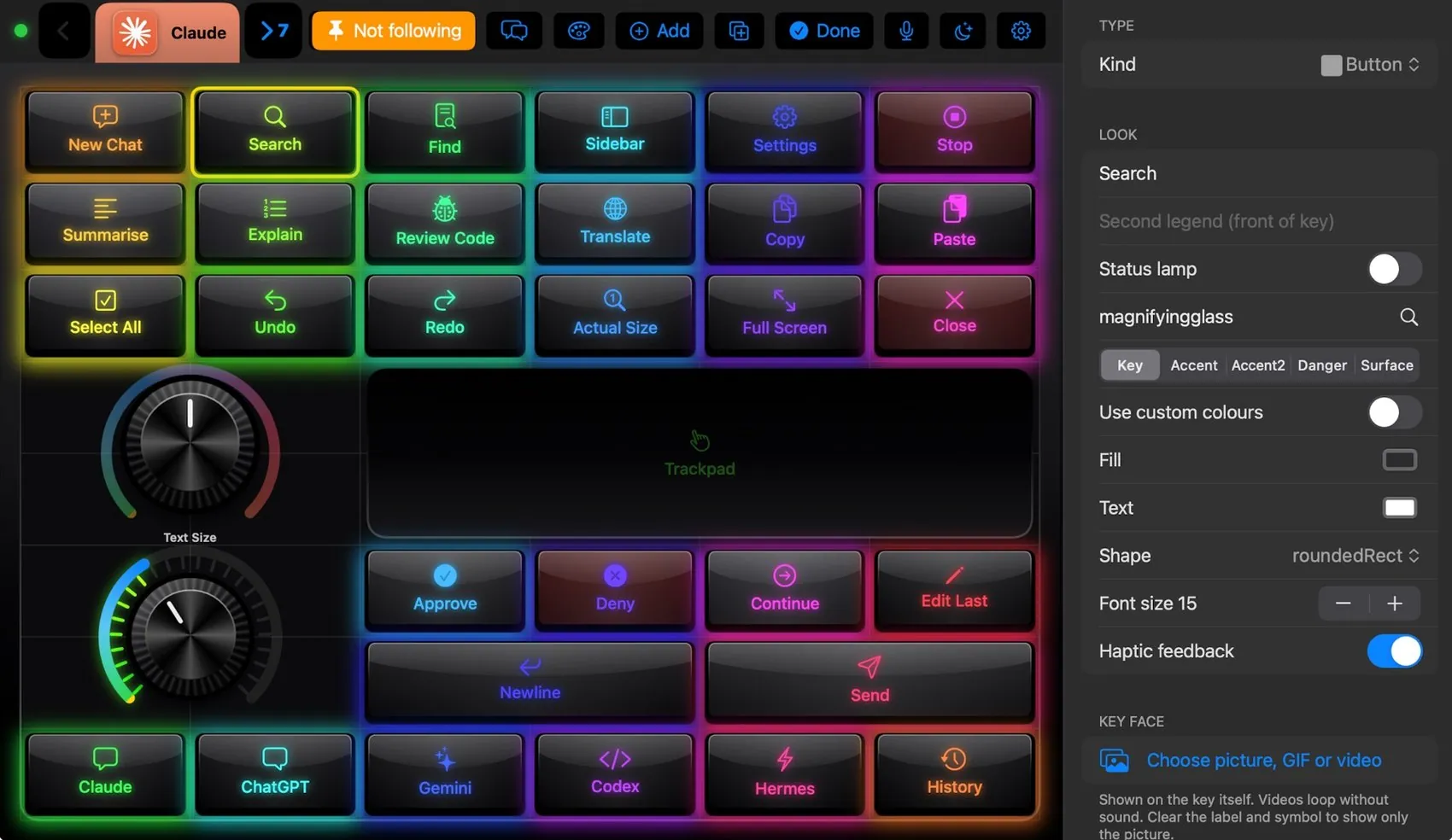
The real editor.
Tap Edit on the pad and the layout goes soft: drag to move, pinch to resize, tap a key and its inspector opens with kind, colour, label, icon and action. The action can be a shortcut, any menu item by name, a macro, a Shortcut, an app, a media key or typed text.
- 81 ready layouts by app and by role, filtered in the layout picker
- Every widget of every layout is in the component library, to drop on any other layout
- A photo, GIF or looping video on any key face
- Layouts follow the Mac’s app, stay pinned, or target one app in the background
Looks like the board on your desk.
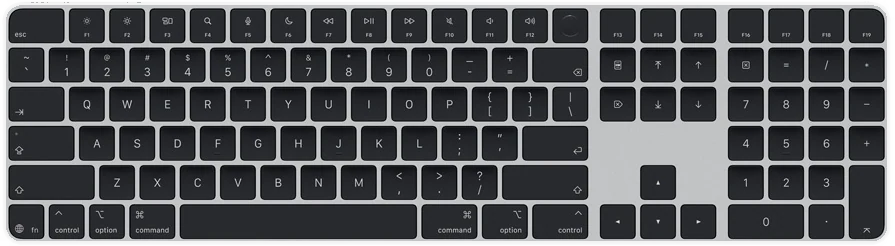
105 themes copy the colours and parts of real keyboards and control surfaces: sculpted, glass, crystal and leather keys; knurled knobs; per-key RGB; a case around the plate. Keys press down and spring back. Every app above wears its own. Pick one and this section takes its colour.
Every control surface.
One sheet of glass.
MIDI keyboard, shuttle wheel, colour panel, trackball, mixer, Magic Trackpad, stream deck. iMacroPad draws all of their parts with haptics, and any of them goes on any layout at any size. Each one below is cut straight from the app, and each one works: turn, roll, slide, tap.
When it rests, it reports.
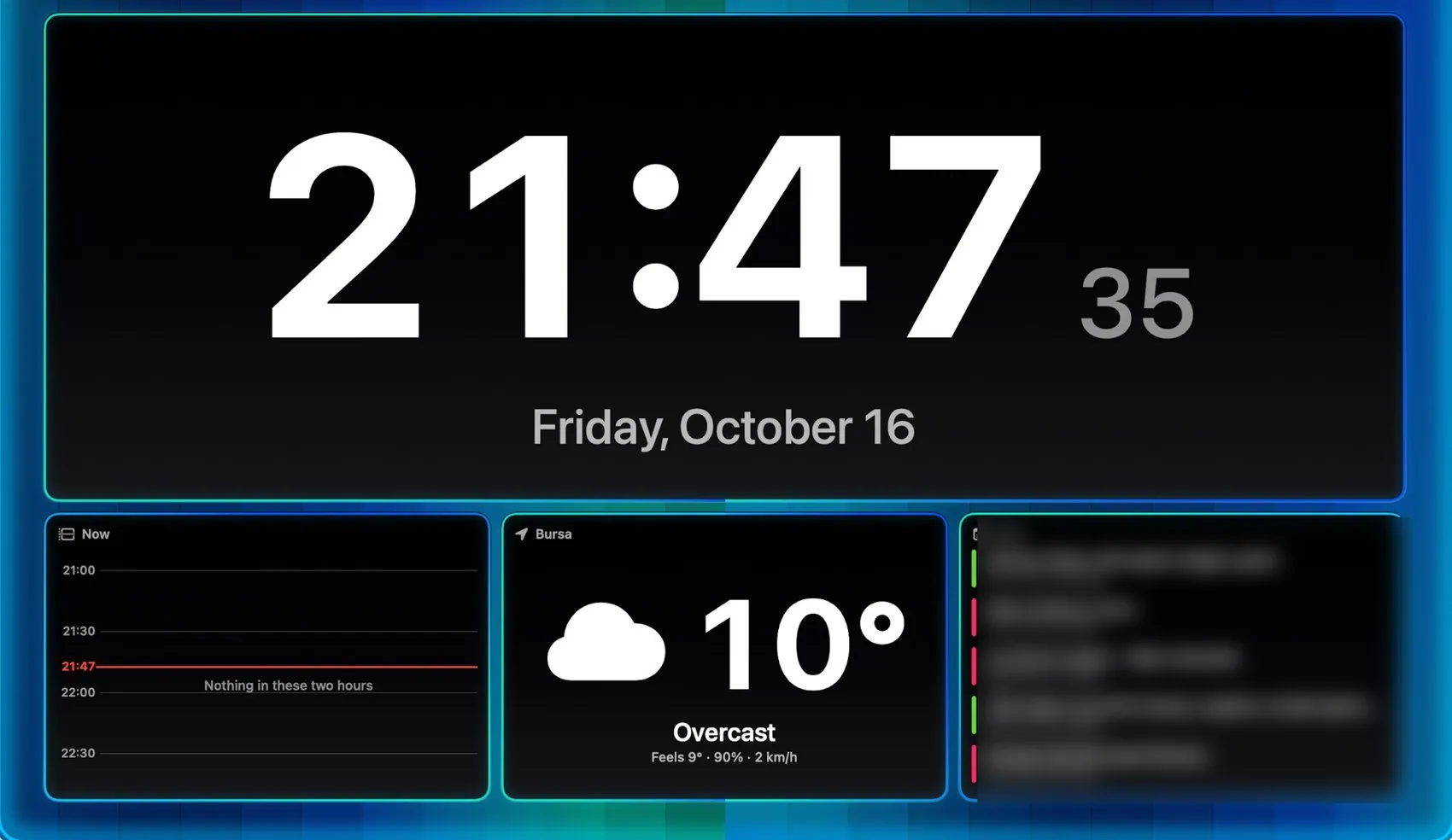
A dashboard, until you tap.
Leave the pad alone and it turns into information: clocks, your calendar and the hour ahead, weather, the Mac’s CPU, memory and network, what is playing, what is waiting, your AI sessions. One tap in, one tap out, or by itself after a few idle minutes or in set hours. Two fingers up or down set the brightness; left and right change the scene.
Macros, voice, widgets, plugins.
Macros you build like blocks.
Try it: drag steps from the palette into Then or Otherwise, drag them to reorder or between branches, × to remove, tap a trigger to switch it on or off, pick a condition, then press Run. The real editor on the iPad works the same way.
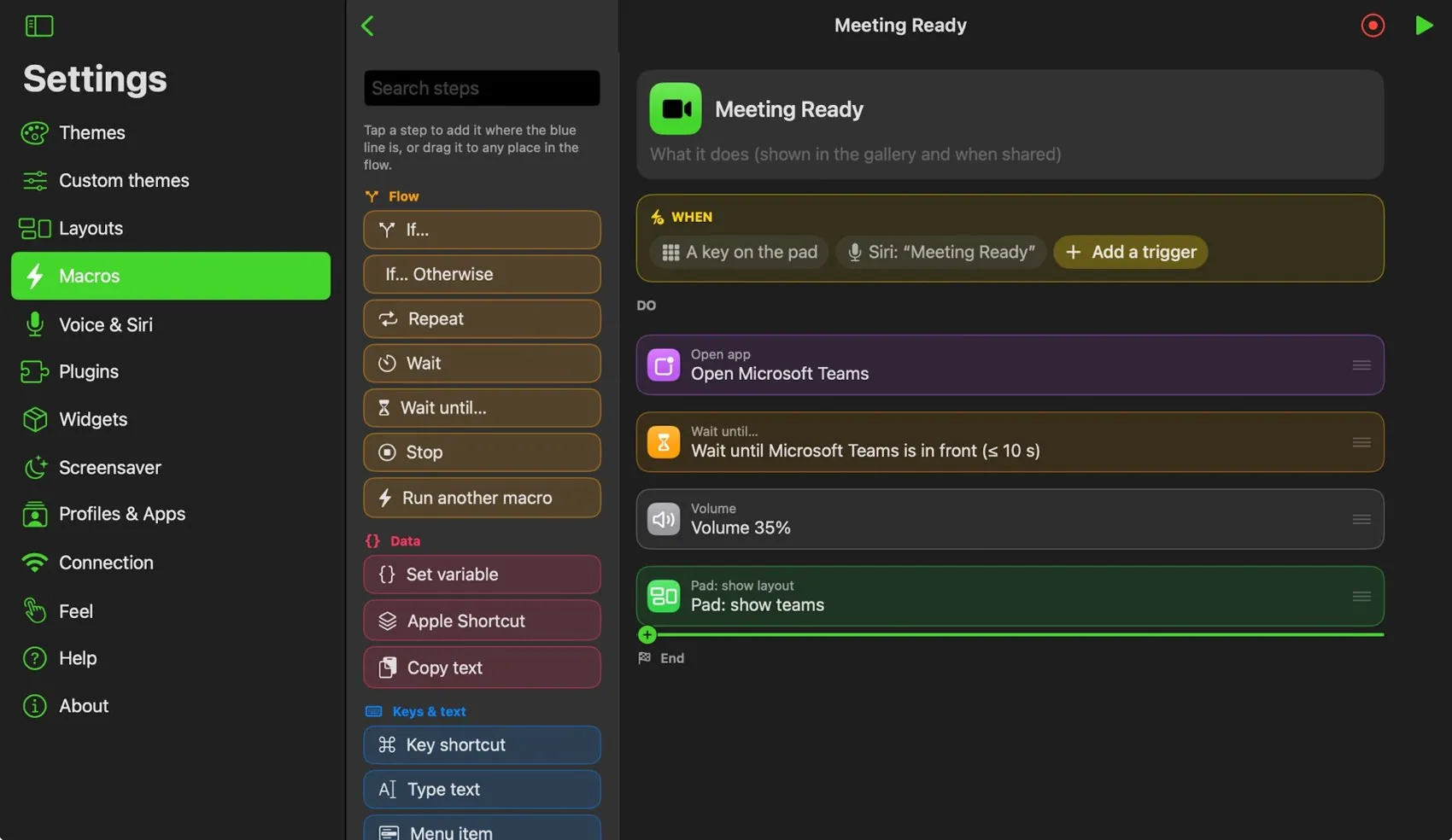
Palette
Drag a step into the flow, or tap it to add it to the branch you used last.
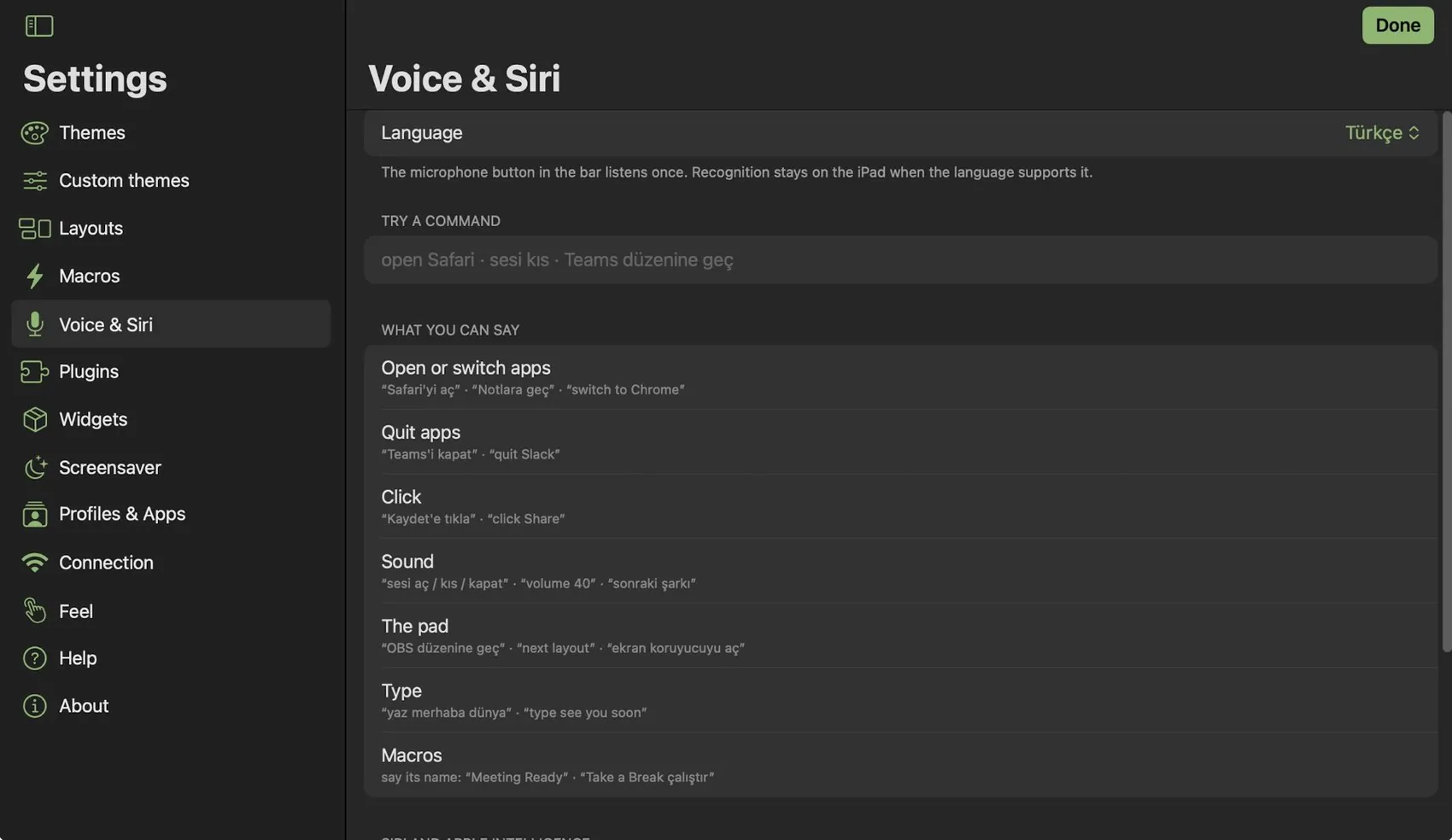
Say it. Done.
Every macro is a Siri phrase and a Shortcuts action. The microphone in the bar listens in English or Turkish and opens apps, sets the volume, switches layouts and runs macros by name.
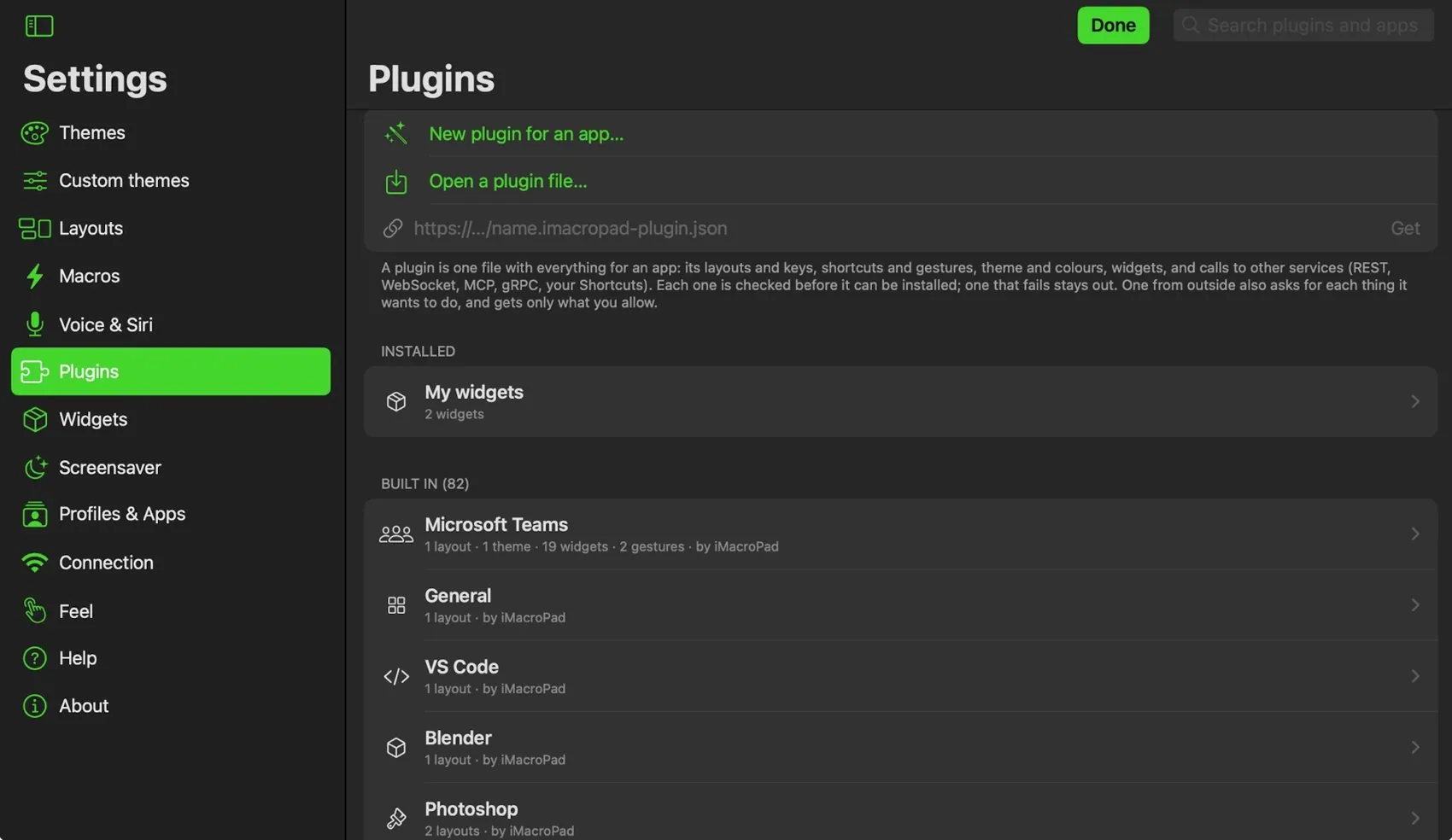
Widgets you make. Plugins that carry an app.
Make keys, dials, sliders and scroll wheels of your own, or Markdown, static HTML and chart widgets, and share them in packs. A plugin holds everything about one app: layouts, shortcuts, gestures, theme and calls to other services. It asks for each thing it wants, with a reason, and nothing in it can run code.
The deck in your pocket.
Same app, same Mac, one hand.
The iPhone runs the same layouts, scaled to its screen. Upright, the bar splits into a row of buttons with the Mac’s apps under it; sideways it is one row, like the iPad, or a column beside the pad (Settings ▸ Feel). It finds the Mac on your Wi‑Fi and pairs the same way, so the phone next to your keyboard becomes a second deck for macros, media and meetings.
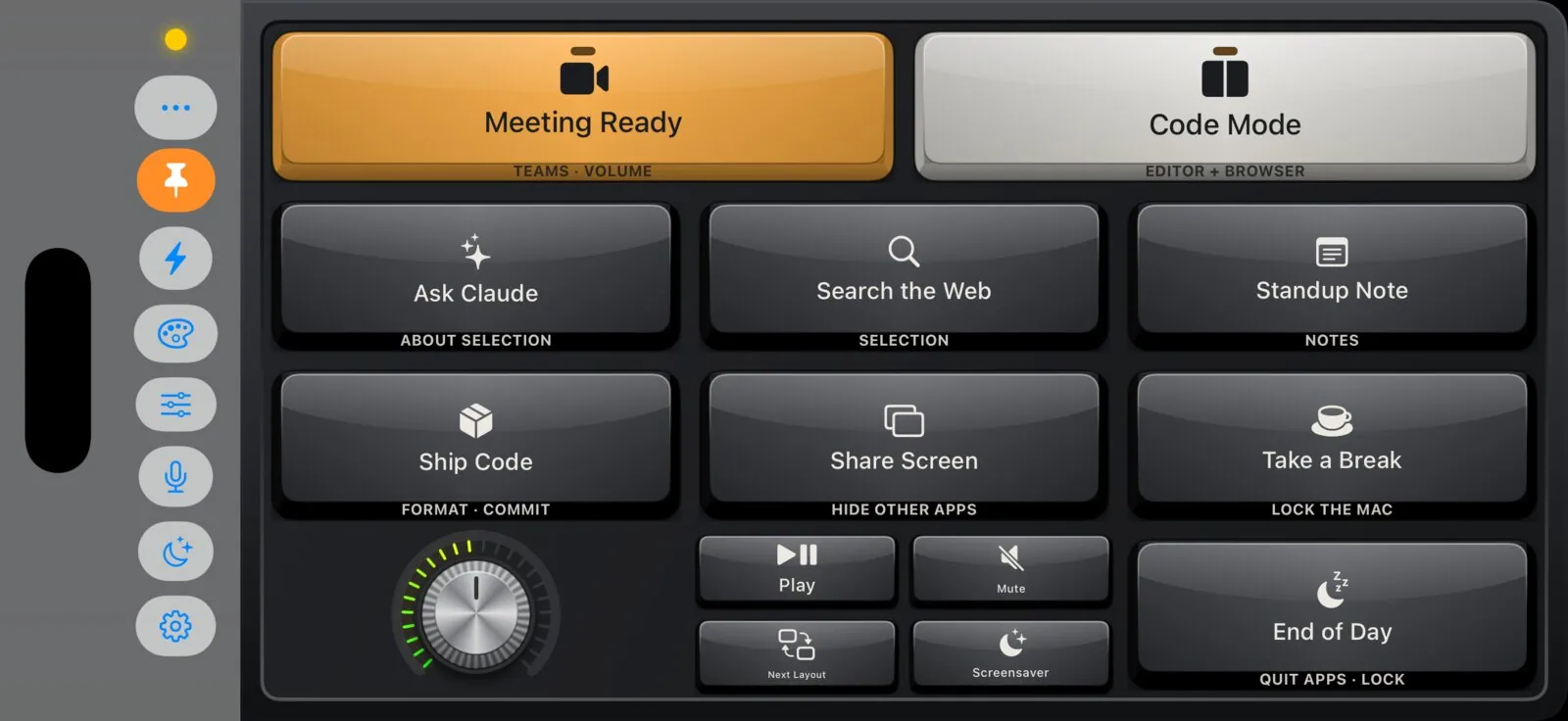
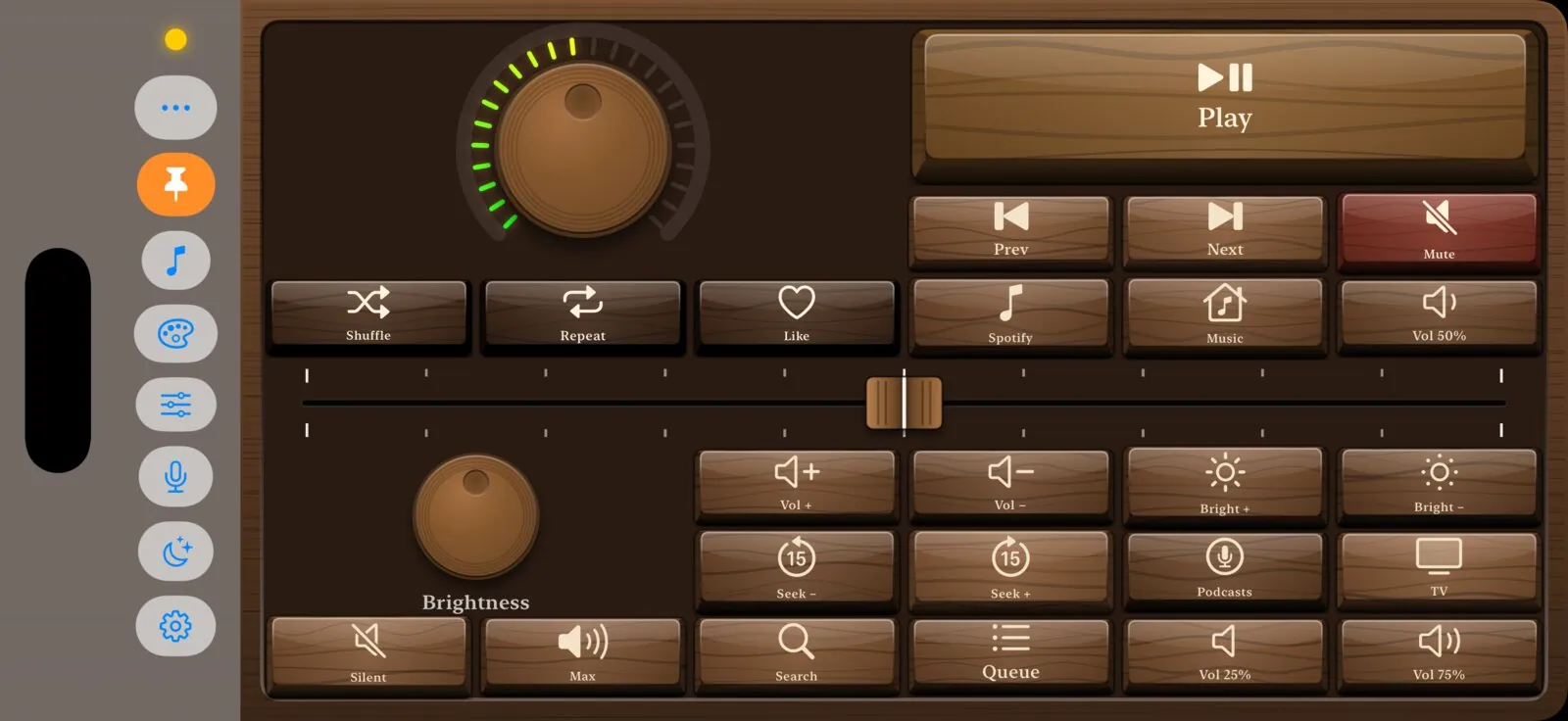
Made by people who use it.
Layouts, widgets, themes, plugins and workflows from other iMacroPad users. Each one checked by the app’s validator, an AI review and an editor. Install with one tap, or share your own.
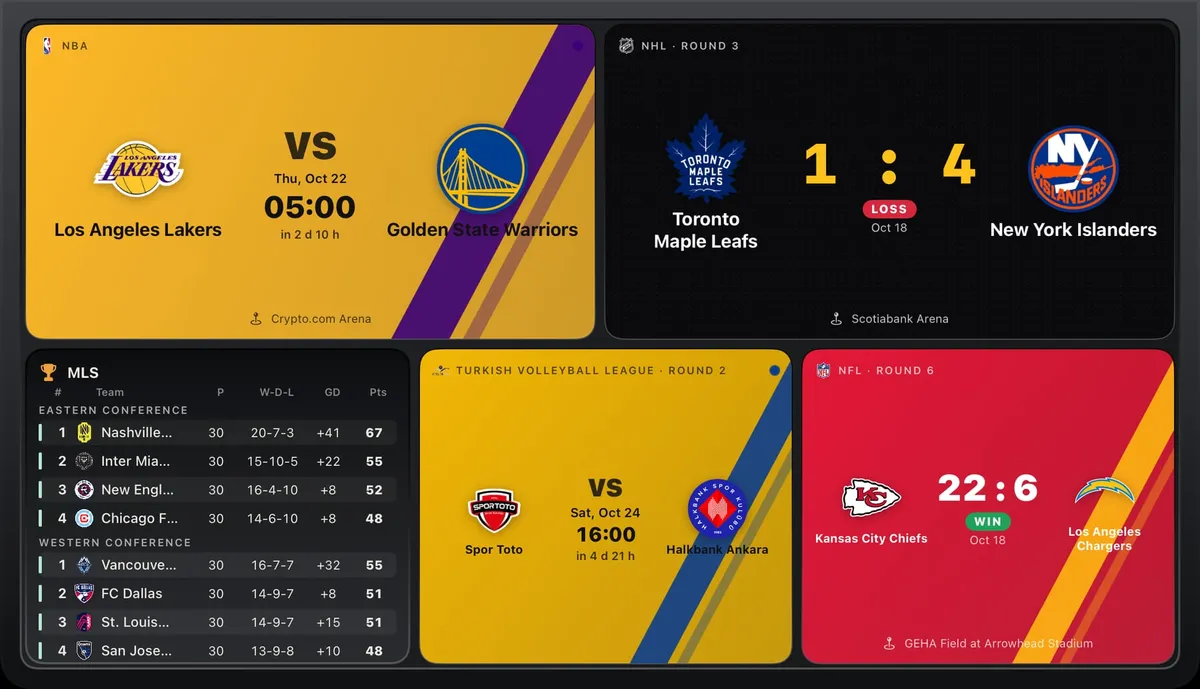 WidgetsSports scoresby iMacroPad communityYour teams in their own colours: team card, match countdown, scoreboard, full league tables (Europe, the US leagues, any country), player card, tennis rankings and Formula 1. Any sport and country: search, or browse sport ▸ country ▸ league. Five looks, six layouts. Data: TheSportsDB, ESPN, Jolpica.
⤓ 18♥ 1★ 5.0
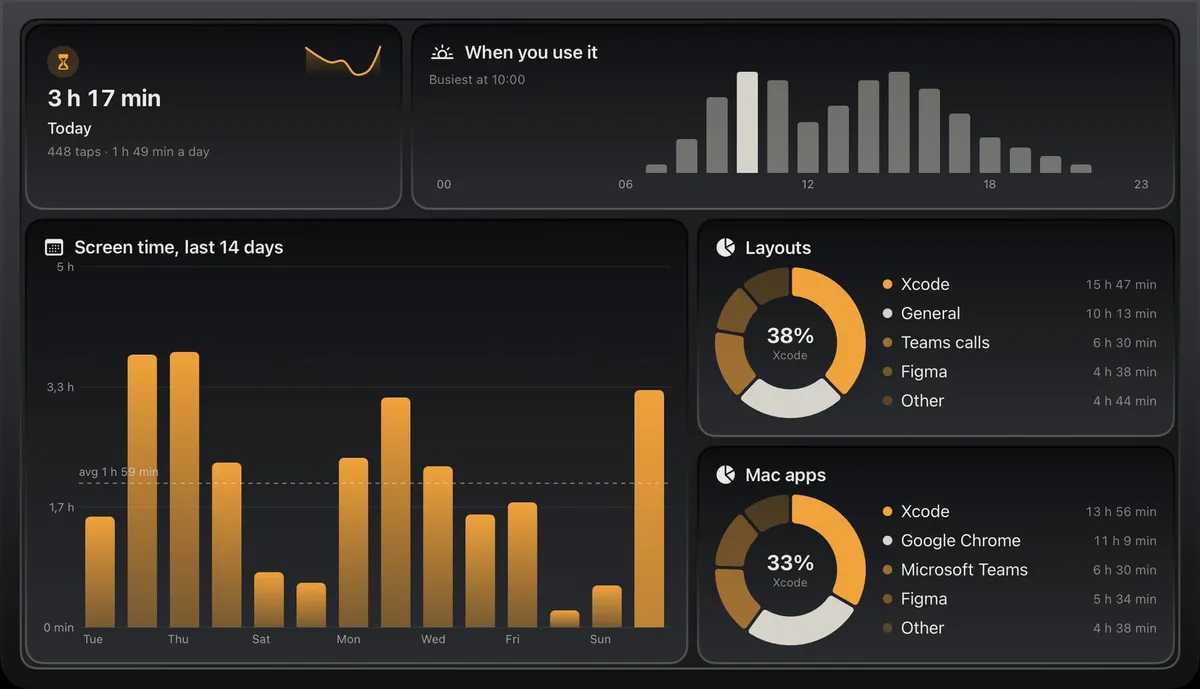 WidgetsUsage statsby iMacroPad communityYour own pad in numbers, drawn like Settings ▸ Stats and in your theme's colours: today's screen time with the week as a sparkline, the last 14 days, the layouts, Mac apps and themes you use most as rings, the hours you use it and the keys you press most. For any layout or the screensaver, with two ready layouts. Counted on this iPad; nothing leaves it.
⤓ 14♥ 0★ –